Store and document data with Opal
OBiBa's core data management application, to import, transform, describe and analyze data.
What is Opal?
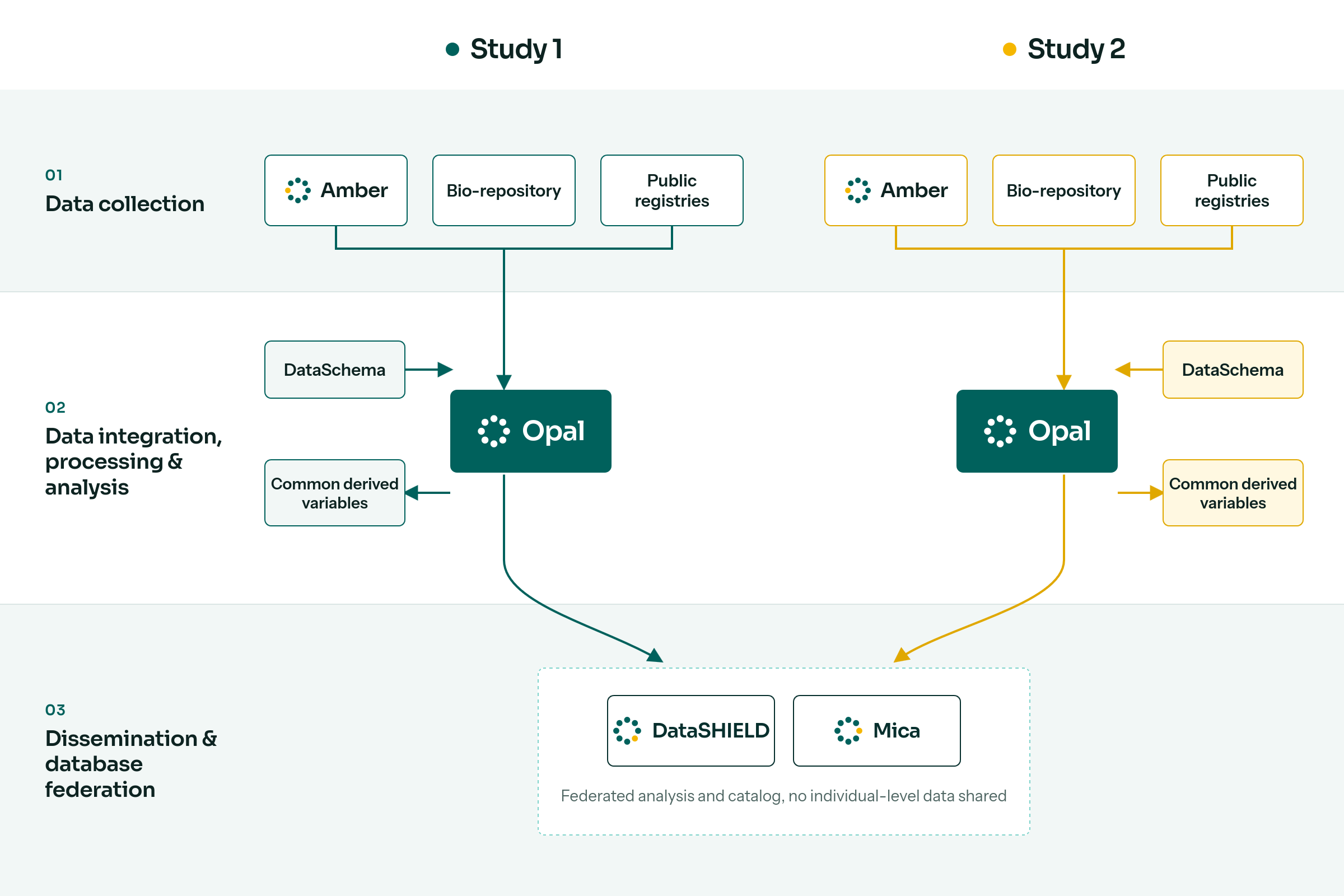
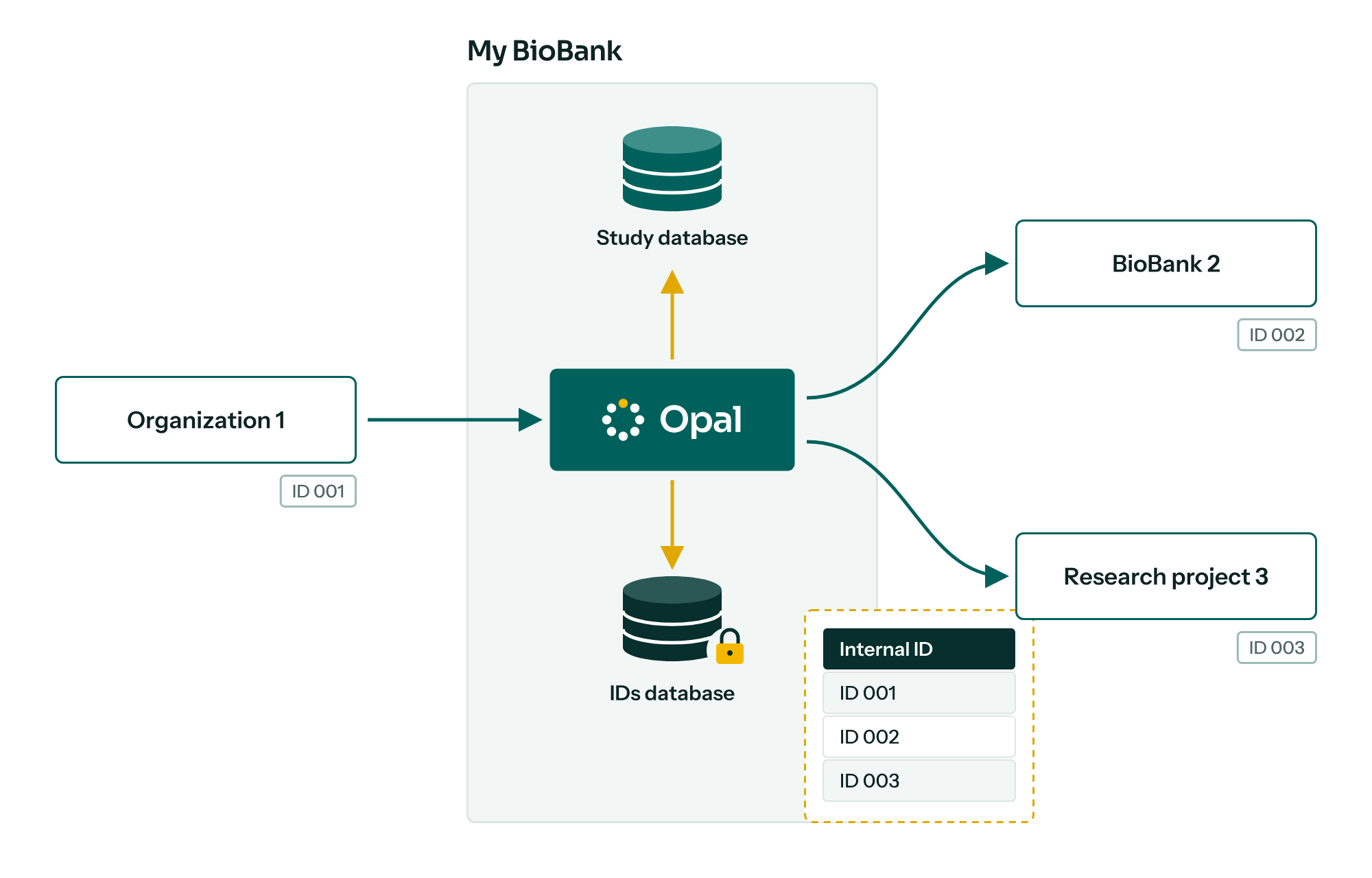
Opal is OBiBa’s core data management application. This server application provides all the necessary tools to import, transform and describe data. Subject identifiers can also be managed at data import and export time.
Analysis. Thanks to its integration with R, complex statistical analysis and reports can be performed. The implementation of DataSHIELD allows advanced statistical analysis across multiple studies without sharing or disclosing any individual-level data.
Integration. Studies using Opal can securely import data collected with Amber, and build web data portals with Mica that query Opal for real-time aggregated reports. Secured REST web services allow automating server management (Python command line tools) and accessing data from R, Python or any web-capable tool.
Features
- Data warehouse: unlimited number of variables; MongoDB, MySQL, MariaDB and PostgreSQL backends; import and export CSV, SPSS, SAS, Stata and SQL; incremental imports; any type of entity and value; SQL API.
- Resources: give R/DataSHIELD sessions access to remote big or complex datasets and computing units, without importing data. See the resourcer R package.
- Views and derived variables: virtual tables of derived variables, a JavaScript library for derivations, user-friendly recoding, instant summary statistics.
- Privacy, confidentiality and security: PKI-based data encryption, certificate, password, token and OpenID Connect authentication, multiple identifiers per participant in a distinct database, permissions down to the variable level.
- File system: centralized file management with access controls.
- R interface: R server monitoring and secured data access from R.
Download
Opal is a stand-alone Java web server application; it does not need a container such as Tomcat or Jetty.
- Debian / Ubuntu: use the Debian package repository.
- Fedora / RHEL: use the RPM package repository.
- Other platforms: download the zip distribution from the GitHub releases.
See the installation guide and the configuration guide.
Try Opal
Have a look at the demo site with one of these credentials:
- Administrator:
administrator/password - DataSHIELD users:
dsuser,dsuser1,dsuser2,dsuser3/P@ssw0rd
Opal releases
- opalNew configuration database, project-internal databases, DataSHIELD quotas, OpenTelemetry
- opalFile bundle support, security improvements
- opalMaintenance, security improvements
- opalAPI documentation, User info tracking, security improvements
- opalSecurity improvements